Candidate Management
Keep every applicant organized in one place. Search, filter, and manage candidates across all your open roles.
1
Browse your candidates
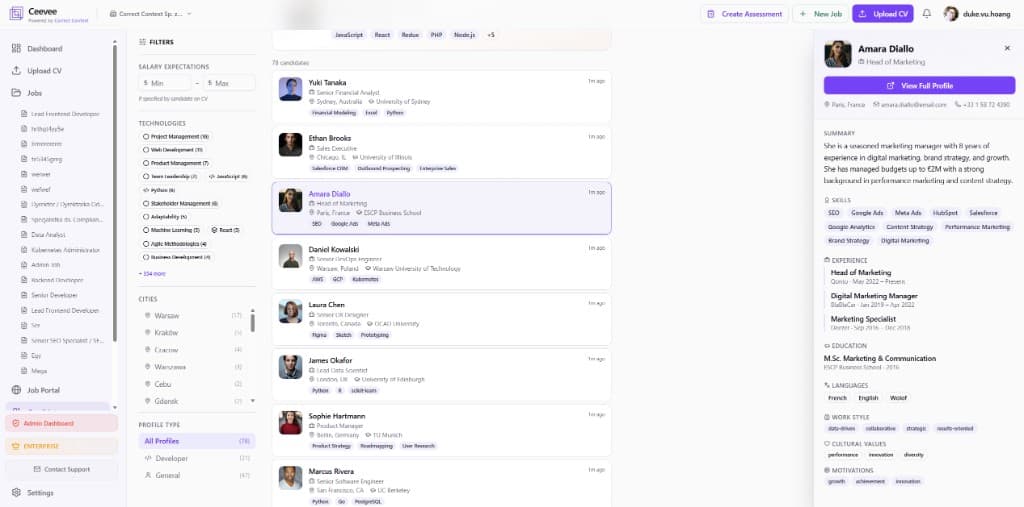
Navigate to Candidates in the sidebar. You’ll see all scanned profiles with their name, title, location, university, and key skills at a glance.
2
Use filters to narrow down
Filter by salary expectations, technologies, cities, and profile type (Developer, General). Use the technology tags at the top for quick filtering by specific skills.
3
Preview candidate profiles
Click on any candidate to open a quick preview panel on the right side showing their summary, skills, experience, education, and contact details.
4
View full profile
Click "View Full Profile" to open the complete AI-generated candidate page with detailed assessments, personality insights, and the original CV.