Getting Started
Welcome to Ceevee! This guide will walk you through the basics of setting up your account and navigating the platform.
Create your account
Head to app.ceevee.cc and click "Sign Up". Enter your email and password to create a free account. No credit card is required.
Explore the Dashboard
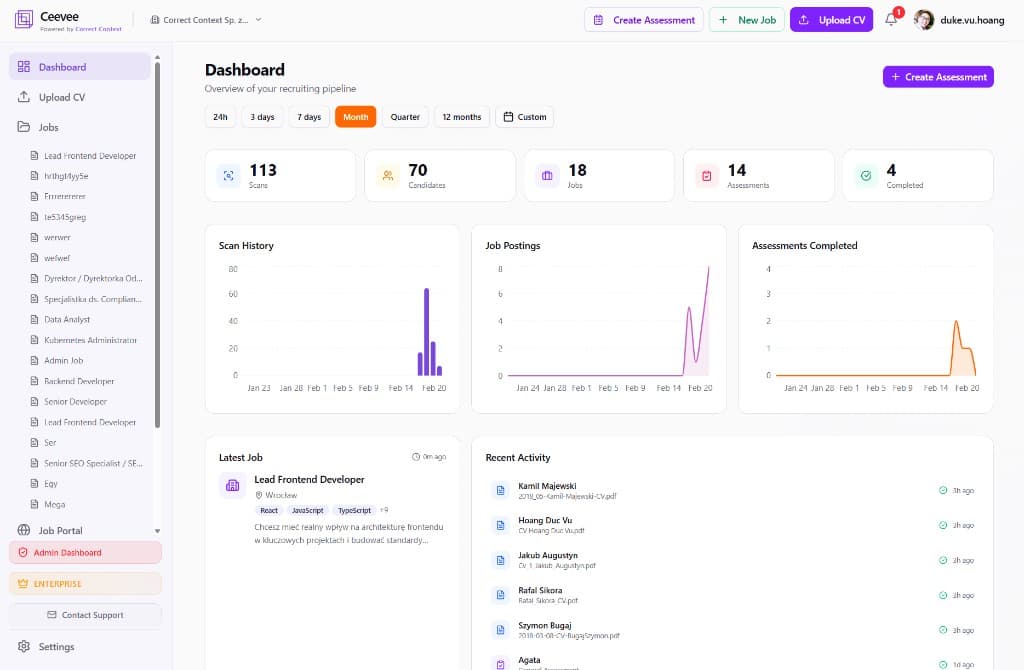
Once logged in, you’ll land on the Dashboard. Here you get a quick overview of your recruiting pipeline — scan history, job postings, assessments completed, and recent activity.
Upload your first CV
Click "Upload CV" in the top navigation bar. Drag and drop a PDF or click to browse. Our AI will extract skills, experience, education, and contact details within seconds.
Create your first job
Navigate to "Jobs" in the sidebar and click "+ New Job". Follow the step-by-step wizard to fill in position details, description, benefits, and publish to your job portal.
Invite your team
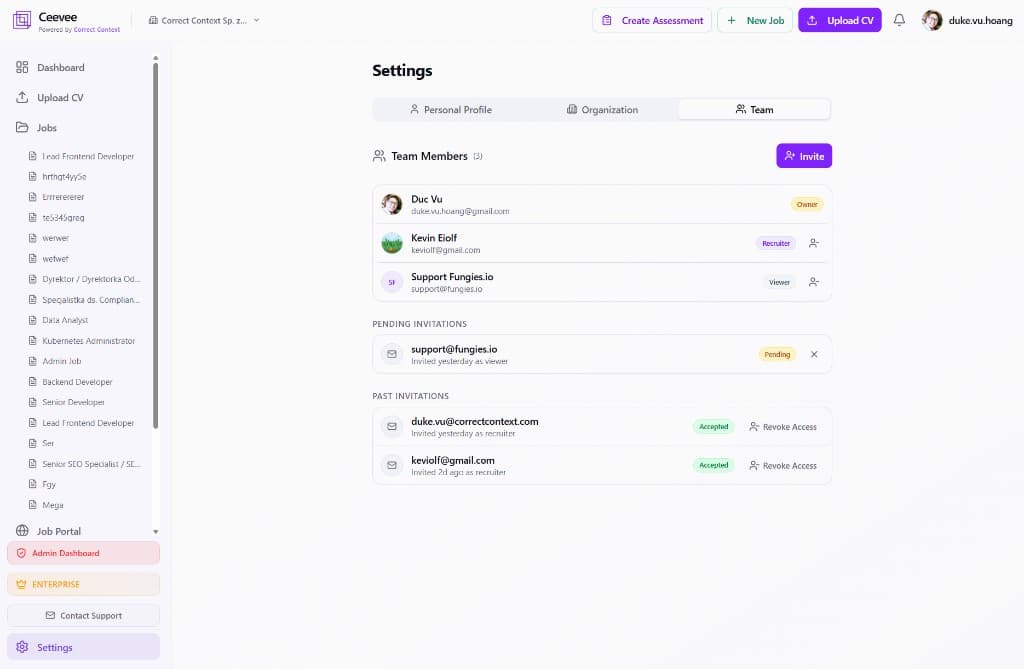
Go to Settings → Team to invite recruiters, hiring managers, or viewers. Each role has specific permissions so everyone sees the right data.